Killfeed Weapon Wheel for FiveM
Bracket frames, data ticks, scan lines and a hit marker on the selected slot. A deathmatch HUD that looks like it belongs next to a kill feed.
- Every color and setting editable
- 5 ready palettes to match your map
- Native hud.gfx, works on any framework
- Built and delivered right after payment
Opens the studio with Killfeed loaded. Test it live, then check out.
Killfeed weapon wheel gallery
Killfeed · default colors Killfeed · real in-game capture Killfeed · close-up Killfeed · Hostile palette Killfeed · Squad blue palette Killfeed · Neon kill palette Killfeed · Amber alert palette Killfeed · Ghost palette
About the Killfeed design
Killfeed is designed like a shooter game's combat HUD. Each slot is framed in sharp brackets rather than a full outline, with data ticks and thin data lines running along the panels. Tally marks count up along the edges, and faint scan lines pass over the whole wheel. An ammo bar can show under the counts for a more game-like look. The selected slot gets a hit marker, the small cross that shooters flash when a shot lands, in the alert color. The weapon name and attachment sit in the center above the 3D center mark. Everything is angular and information-driven, built to be read fast in the middle of a fight.
Pairing it with your minimap
Killfeed pairs best with a PvP minimap that is dark, flat and sharp. Hostile red matches a black map with red zones. Squad blue suits team-based servers with blue friendly markers. Neon kill brings a bright green that pairs with dark maps with lime roads, Amber alert works with orange-accented maps, and Ghost is white and grey for monochrome HUDs. Match the alert color to whatever your map uses for danger or objectives, and players will link the two instantly.
Details
- Slots are framed with sharp brackets.
- Data ticks and data lines run across the panels.
- Tally marks and scan lines add a combat HUD feel.
- An optional ammo bar sits under the counts.
- The selected slot shows a hit marker in the alert color.
Five palettes: Hostile, Squad blue, Neon kill, Amber alert and Ghost.
Killfeed weapon wheel FAQ
What is the difference between Killfeed and Killstreak?
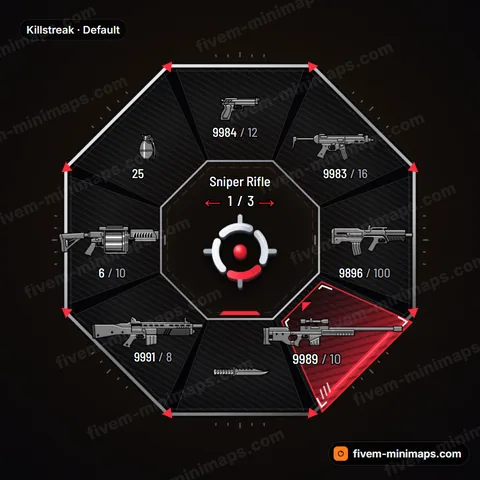
Killstreak is an octagon with steel blades and a filled, striped selection. Killfeed keeps a round layout with bracket frames, data lines and a hit marker on the selected slot. Killfeed feels more like a shooter HUD, Killstreak more like an esports overlay.
Can I turn off the scan lines?
Yes. Data ticks, tally marks, scan lines, the hit marker and the ammo bar are all separate effects. Turning off scan lines gives a cleaner look, which helps next to a minimap that already has texture.
Which palette suits a team-based server?
Squad blue, since blue already means friendly on many team servers. If your minimap uses another team color, pick the palette closest to it, then fine-tune the alert color in the studio to match exactly.