Vanguard Weapon Wheel for FiveM
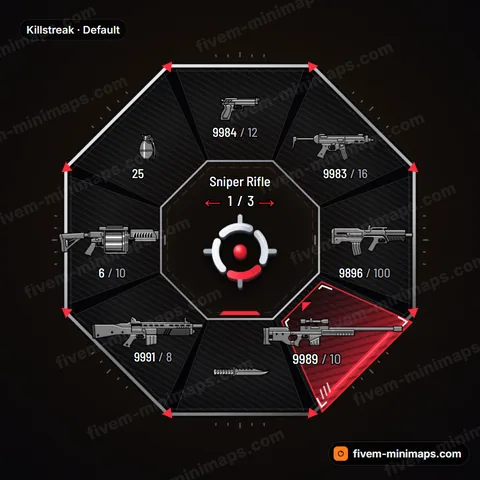
Arrowhead chevron segments with double-line armor and a tip marker on the selected slot. Sharp, forward-leaning and made for assault.
- Every color and setting editable
- 5 ready palettes to match your map
- Native hud.gfx, works on any framework
- Built and delivered right after payment
Opens the studio with Vanguard loaded. Test it live, then check out.
Vanguard weapon wheel gallery
Vanguard · default colors Vanguard · real in-game capture Vanguard · close-up Vanguard · Assault palette Vanguard · Spectre palette Vanguard · Frost palette Vanguard · Rank gold palette Vanguard · Killzone palette
About the Vanguard design
Vanguard builds each slot as an arrowhead. The segments are chevrons pointing outward, each outlined with a double line like layered armor plating. An inner accent band runs around the hub, tying the segments together, and the panels sit on a dark base that keeps the icons and ammo counts clear. When a weapon is selected, its chevron fills with the accent color and a tip marker appears at its point, like a direction marker on a tactical display. The weapon name and attachment sit in the center above the 3D center mark. The whole wheel feels like it is moving forward, which suits servers built around attacking and pushing.
Pairing it with your minimap
Vanguard pairs with PvP and military minimaps that use one strong accent. Assault is a bold red for maps with red objectives. Spectre is a pale ghost tone for monochrome and grey maps, Frost is ice blue for cold tactical themes, Rank gold matches dark maps with gold or amber roads and suits ranked or competitive servers, and Killzone brings an aggressive color for high-intensity redzones. Set the inner accent band to your map's route color and the chevrons will point players toward the same color they follow on the map.
Details
- Arrowhead chevron segments form the slots.
- A double outline traces each segment.
- An inner accent band runs around the hub.
- The selected chevron fills with the accent.
- A tip marker appears at the point of the selected chevron.
Five palettes: Assault, Spectre, Frost, Rank gold and Killzone.
Vanguard weapon wheel FAQ
What does the tip marker do?
The tip marker appears at the outer point of the selected chevron, adding a second signal on top of the fill. It helps players read the selection from the edge of the wheel. You can adjust it or turn it off in the studio.
Which palette suits a ranked PvP server?
Rank gold fits competitive and ranked servers, since gold reads as achievement. Pair it with a dark minimap with gold or amber roads for a HUD that feels like a ranked mode rather than a casual one.
Can I remove the double outline?
Yes. Selection fill, double outline, inner accent band and tip marker are all adjustable. With a single outline, Vanguard becomes lighter and more minimal, which suits a clean flat minimap with thin roads. Check the result in the live preview.