Install a custom FiveM-compatible minimap in under five minutes
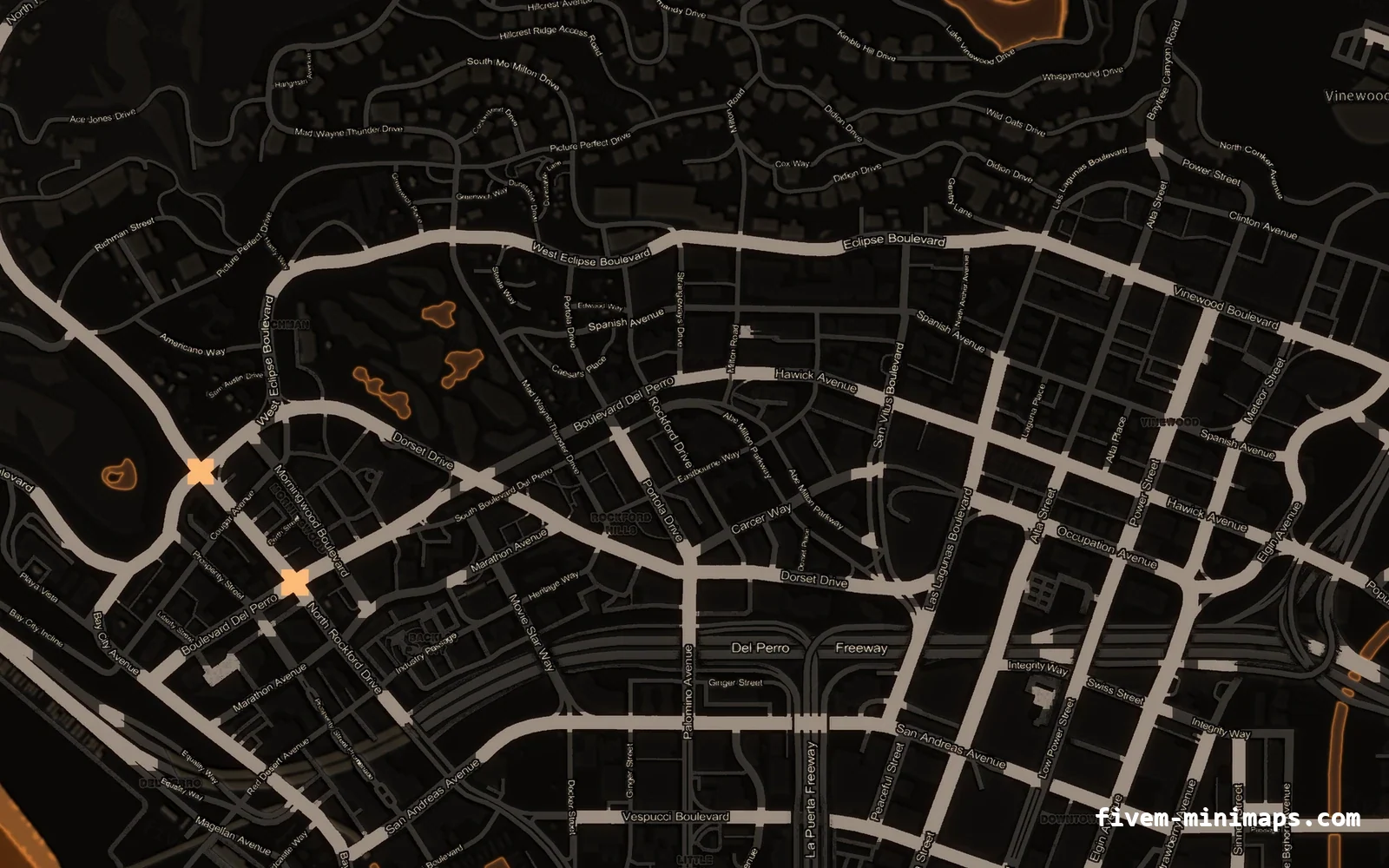
A minimap resource is stream-only: it replaces the twelve texture dictionaries the game uses to draw the pause map and the radar, plus the geometry they are drawn onto. There is no framework dependency and no runtime cost, so the same folder works identically on QBCore, ESX, QBox, vRP or a standalone server.
Short answer: Copy the resource folder into resources/, add one ensure line to server.cfg, stop any other minimap resource, then clear the FiveM client cache and reconnect.
The same thing, on video
 1:54
1:54How to get a custom FiveM-compatible minimap in 5 minutes (no OpenIV)
Pick a style and palette, zoom the whole island in the protected preview, brand it with your logo, drag the folder in and ensure it.
Watch on YouTube#What is inside the resource
Every map is a complete, self-contained FiveM resource. It contains a manifest, a small client script that sets the radar zoom levels so the new texture resolution lines up, and a stream folder with the textures and geometry the game expects to find.
| File | Count | What it is |
|---|---|---|
| fxmanifest.lua | 1 | Declares the resource and the client script |
| client.lua | 1 | SetMapZoomDataLevel calls so the radar matches the new art |
| stream/minimap_*.ytd | 6 | The land textures, DXT5 compressed |
| stream/minimap_sea_*.ytd | 6 | The ocean textures |
| stream/minimap_lod.ytd | 1 | Used when the pause map is fully zoomed out |
| stream/*.ydd | 65 | The geometry the textures are drawn onto |
78 stream files in total, around 22 MB on disk and roughly 113 MB of VRAM in game — the same as the stock map.
#Step 1 — copy the folder
Drop the unzipped folder into your resources directory. Putting it in a [standalone] or [maps] bracket folder is tidy but not required. Do not rename the folder: the manifest and the ensure line have to match.
resources/
└─ [standalone]/
   └─ pityus_minimap_orange_google/
      ├─ fxmanifest.lua
      ├─ client.lua
└─ stream/ 78 files#Step 2 — ensure it in server.cfg
One line. Put it reasonably early — before your HUD resource — so the textures have been streamed by the time the radar first draws.
ensure pityus_minimap_orange_google#Step 3 — remove any other minimap
This is the step people skip, and it is the single most common reason a new map does not appear. Streamed file names are global across the whole server: if two resources both ship minimap_0_0.ytd, one of them wins and which one is undefined.
Search your resources folder for the file names below and stop whatever else provides them.
# Linux / git bash
find resources -name 'minimap*.ytd' -o -name 'minimap_sea*.ytd'

# Windows PowerShell
Get-ChildItem .\resources -Recurse -Filter 'minimap*.ytd' | Select-Object FullName#Step 4 — clear the client cache
FiveM caches streamed textures aggressively and will happily keep serving the old minimap after you have replaced it. Every client that has already connected needs the cache cleared once.
- Close FiveM completely first — the folder is locked while it runs.
- Delete the whole cache folder, not just parts of it.
- Players who have never joined your server do not need to do this.
- On a live server, announce it: without a cache clear, half your players will report the map as unchanged.
%localappdata%\FiveM\FiveM.app\data\cache#Step 5 — verify it actually loaded
There are two separate surfaces and they fail independently, which makes the check useful for diagnosis rather than just reassurance.
- 01 Open the pause map
If the pause map shows the new art, the textures streamed correctly and the resource is running.
- 02 Look at the radar
If the pause map changed but the radar did not, the client cache was not cleared on that machine.
- 03 If neither changed
The resource is not running. Check the server console at start for the resource name, and check for the name collision from step 3.
| What you see | What it means |
|---|---|
| Both changed | Installed correctly. |
| Pause map only | Client cache not cleared on that client. |
| Neither changed | Resource not started, or another minimap is winning the name collision. |
| Checkerboard pattern | A .ytd is missing from the stream folder — re-extract the zip. |
| Old map after a restart | Server cache. Delete server-data/cache/ and restart. |
#Installing through txAdmin
txAdmin does not change any of the above, it just moves where the files go. Upload the folder into the resources directory of the deployment txAdmin is managing, add the ensure line to the server.cfg txAdmin is using — which may not be the one you expect — and restart from the txAdmin panel.
#Updating to a different map later
Swapping palettes is the same four steps with one difference: stop the old minimap resource before starting the new one, or you have created exactly the name collision described above.
# in server.cfg, replace the line rather than adding a second one
# ensure pityus_minimap_blue_postal      <- old
ensure pityus_minimap_orange_google # <- newQuestions
Do I need QBCore or ESX for this?
The map changed but the radar still looks the same.
Will this conflict with my MLOs or my custom map?
Does it cost performance?
Can I put my server logo on the map?
Ready to pick a map?
Twelve themes on three base map styles, $8 each, instant download.
Relevant to what you just read