Aperture Weapon Wheel for FiveM
Overlapping iris blades set inside a machined lens barrel with knurled grip rings. A precise, photographic take on the weapon wheel.
- Every color and setting editable
- 5 ready palettes to match your map
- Native hud.gfx, works on any framework
- Built and delivered right after payment
Opens the studio with Aperture loaded. Test it live, then check out.
Aperture weapon wheel gallery
Aperture · default colors Aperture · real in-game capture Aperture · close-up Aperture · Brass lens palette Aperture · Cinema palette Aperture · Infra palette Aperture · Optic green palette Aperture · Cobalt lens palette
About the Aperture design
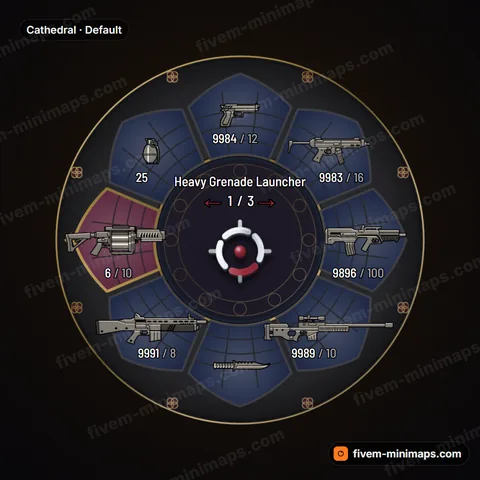
Aperture is modeled on a camera lens. The eight slots are iris blades that overlap each other like the diaphragm inside a lens, each one curving toward the center. Around them sits a machined barrel with knurled rings, the textured grip you turn to focus, and a small index mark on the barrel like the one on a real lens. The blades catch a thin edge light along their curves. When you choose a weapon, its blade takes on a selection tint in the accent color, so it looks like a colored filter has been slid over that part of the iris. In the open center, the weapon name and attachment appear above the 3D center mark. It is precise, mechanical and very clean.
Pairing it with your minimap
Aperture works best with a minimap that is equally precise: a dark map with thin lines and one clear accent. Brass lens gives warm gold tones that match vintage or sepia maps. Cinema is a deep neutral for film-style, monochrome HUDs. Infra brings an infrared red that pairs with a red-accented tactical map, Optic green matches night-vision style green minimaps, and Cobalt lens suits cool blue maps. Because the iris blades already create movement, avoid a minimap with heavy patterns.
Details
- Overlapping iris blades form the eight slots.
- A machined barrel with knurled rings surrounds the iris.
- Blade edge light traces each curved blade.
- A barrel index mark sits on the rim like a real lens.
- The selected blade gets a colored filter tint.
Five palettes: Brass lens, Cinema, Infra, Optic green and Cobalt lens.
Aperture weapon wheel FAQ
Does the overlapping blade shape affect readability?
No. Each blade still holds one weapon icon with its ammo and clip counts in the same positions as the stock wheel. The overlap is only in the shape, and the selection tint makes the active blade clear at a glance.
Which Aperture palette fits a night-vision style minimap?
Optic green. It tints the selection and edge light green, which matches a green phosphor or night-vision map. Keep the weapon name and ammo text light so they read over the green, and the HUD looks like one optical device.
Can I remove the knurling?
Yes. Barrel knurling, blade edge light, selection tint and the barrel index mark are all adjustable. Without knurling, the barrel becomes a smooth machined ring, which suits a calmer HUD next to a detailed minimap.